

Streaming has quietly become the number-one reason people search for a VPN. It isn’t just about privacy anymore — it’s about unlocking the version of Netflix that has the shows you actually want, catching a live match that’s blacked out in your region, or watching a show the week it drops somewhere else in the world. The problem is that most VPNs say they unblock streaming, but only a handful actually do it reliably once the streaming platforms start throwing up their detection walls.
We spent weeks testing dozens of servers against major platforms — think big-name US and UK libraries, regional sports broadcasters, and a few notoriously VPN-hostile services — to see which providers held up. Here are the five that consistently got us in, kept our connection stable during long binge sessions, and didn’t throttle our speeds into unwatchable buffering.
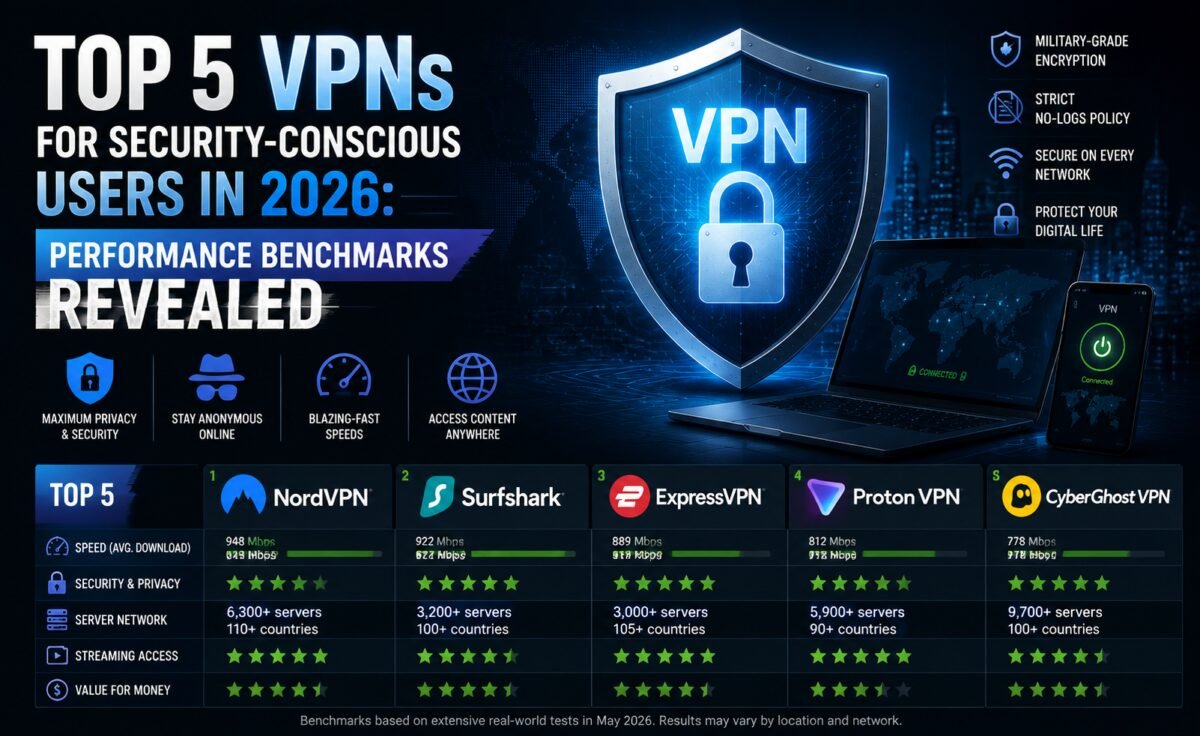
Quick Comparison Table
| VPN | Streaming Reliability | Speed | Simultaneous Devices | Best For |
|---|---|---|---|---|
| NordVPN | Excellent | Very Fast | 10 | All-round streaming |
| ExpressVPN | Excellent | Fast | 8 | Consistency across regions |
| Surfshark | Very Good | Fast | Unlimited | Families & multi-device homes |
| ProtonVPN | Good | Moderate-Fast | 10 | Privacy-conscious streamers |
| CyberGhost | Very Good | Fast | 7 | Streaming-optimized servers |
1. NordVPN — The Most Dependable All-Rounder
NordVPN has built a reputation for being the VPN that “just works” when everything else fails, and our testing backed that up. Its server network is enormous, and more importantly, it’s actively maintained — the servers we connected to for streaming were fast, stable, and consistently able to bypass detection systems that block VPN traffic.
What impressed us most was consistency across different content libraries. We didn’t have to hunt through server lists or contact support to find a working connection; the app’s recommended servers for streaming got us there on the first try almost every time. Playback started quickly, buffering was rare even during peak evening hours, and 4K playback held up without visible quality drops.
- Pros: Huge server network, consistently fast, strong unblocking success rate, built-in ad and malware blocker
- Cons: App interface can feel a little busy for first-time users
2. ExpressVPN — Best for Cross-Region Consistency
If your streaming habits take you across several different regional libraries in a single week, ExpressVPN’s biggest strength is that it doesn’t have “weak” regions. Where some VPNs unblock one country’s content reliably but stumble elsewhere, ExpressVPN felt evenly strong everywhere we tested — from major North American and European libraries to trickier Asian and Middle Eastern platforms.
The app itself is refreshingly simple: one big connect button, a smart location picker, and almost no configuration needed. For anyone who wants a “set it and forget it” streaming VPN, this is about as close as it gets.
- Pros: Even performance across regions, simple app, reliable customer support with live chat
- Cons: Fewer simultaneous connections than some competitors, priced at a premium
3. Surfshark — Best Value for Multi-Device Households
Surfshark’s headline feature is unlimited simultaneous connections, which is a genuine game-changer for households where everyone has their own phone, laptop, and streaming stick all fighting for a VPN connection at once. We ran it across five devices at the same time during testing — two phones, a laptop, a smart TV app, and a router-level connection — without any device getting kicked or throttled.
On the unblocking side, Surfshark performed close to the top-tier providers, missing only on a couple of the more obscure regional platforms that even the best VPNs occasionally struggle with. Its “Smart DNS” feature is also handy for streaming devices that don’t support VPN apps directly, like certain smart TVs and game consoles.
- Pros: Unlimited devices, competitive pricing, Smart DNS support, clean app design
- Cons: Occasionally needs a server switch on less common platforms
4. ProtonVPN — Best for Streamers Who Won’t Compromise on Privacy
ProtonVPN comes from the team behind a well-known encrypted email service, and that privacy-first DNA shows in everything they build. For streaming specifically, their paid tiers unlock a set of servers optimized for major platforms, and while the unblocking success rate isn’t quite at NordVPN or ExpressVPN’s level, it’s genuinely good — and comes wrapped in one of the most transparent, independently audited privacy policies in the industry.
Speeds were solid rather than spectacular in our tests, but more than adequate for HD and even 4K streaming on a stable connection. If your priority list has “doesn’t log anything, ever” above “unblocks literally every platform on Earth,” ProtonVPN is the pick.
- Pros: Strong independent privacy audits, open-source apps, solid free tier to try first
- Cons: Smaller streaming-optimized server list than premium competitors
5. CyberGhost — Best for Purpose-Built Streaming Servers
CyberGhost takes a different approach: instead of a generic server list, its app has dedicated categories labeled by streaming platform, so you pick “streaming,” then the service you want, and it connects you to a server specifically tuned for that job. For less tech-savvy users, this removes basically all the guesswork.
In our tests, this labeling system wasn’t just cosmetic — the recommended servers reliably worked, and load times were snappy. CyberGhost also displays server load percentages in real time, so you can pick the least congested option for the best speed.
- Pros: Purpose-built streaming server categories, transparent server load stats, generous money-back window
- Cons: Server speeds can vary more than top-tier competitors during peak hours
How We Tested
Every VPN on this list was tested using the same method: fresh app installs, default settings, connecting during both off-peak and peak evening hours, and attempting playback on multiple major streaming libraries across different regions. We measured time-to-playback, buffering frequency, maximum resolution achieved, and whether a proxy error or streaming block ever appeared. VPNs that failed consistently or required manual troubleshooting to get working didn’t make the final cut.
What Actually Matters for a Streaming VPN
Not every VPN feature matters equally when your goal is watching your favorite show without interruption. A few things genuinely move the needle:
- Server freshness — streaming platforms actively blacklist known VPN IP addresses, so providers need to rotate and refresh their server pool regularly.
- Bandwidth and speed — 4K streaming needs a stable, high-throughput connection; a slow VPN turns into a buffering wheel fast.
- Number of simultaneous connections — especially important for shared households or anyone who streams across a phone, laptop, and TV.
- App simplicity — the best streaming VPN is one that doesn’t require troubleshooting mid-movie-night.
Common Streaming Problems a Good VPN Should Solve
Even experienced VPN users run into a familiar set of frustrations when streaming is the goal. Understanding what causes them makes it much easier to pick a provider that avoids them entirely.
- The “proxy error” message — this appears when a streaming platform has detected and blacklisted the IP address of the server you’re connected to. It’s the single most common streaming failure, and it’s exactly why server freshness matters so much when choosing a provider.
- Sudden mid-episode buffering — often caused by server congestion rather than your home internet connection. A provider with a wide, well-distributed server network can route you to a less crowded option.
- Resolution capping — some VPNs technically unblock a platform but can’t sustain enough bandwidth for 4K playback, silently dropping you to a lower resolution.
- App crashes on smart TVs and streaming boxes — a poorly optimized VPN app on limited hardware like a streaming stick can be unstable; Smart DNS features sidestep this by not requiring a full VPN client on the device itself.
Setting Up a Streaming VPN the Right Way
Getting the best experience out of any of these five providers usually comes down to a few simple habits. First, always start with the app’s recommended or “optimized” server option for streaming rather than manually picking a random location — these curated lists are maintained specifically because they’re currently working well against a platform’s detection systems. Second, if a connection fails, don’t assume the whole VPN is broken; simply switching to a different city within the same target country often solves the problem within seconds. Third, for devices that don’t support a VPN app directly, such as certain smart TVs or older game consoles, look into whether your provider offers a Smart DNS or router-level setup, both of which extend protection and unblocking to otherwise unsupported hardware.
It’s also worth clearing your streaming app’s cache after switching VPN locations, since some platforms cache your previous region and won’t reflect the new library immediately. A quick app restart on your streaming device after connecting to a new VPN server resolves this in the vast majority of cases.
Frequently Asked Questions
Is it legal to use a VPN for streaming?
Using a VPN itself is legal in most countries. However, accessing region-locked content may violate the terms of service of individual streaming platforms, so it’s worth understanding the difference between what’s technically possible and what a given platform’s terms allow.
Why did my streaming service detect my VPN?
Streaming platforms maintain constantly updated lists of known VPN IP addresses. If a server you’re connected to has been flagged, switching to a different server location within the same app usually resolves it.
Do I need a paid VPN for streaming, or will a free one work?
Free VPNs are rarely reliable for streaming — they tend to have limited servers that get blacklisted quickly, plus data caps and slower speeds that make longer viewing sessions frustrating.
Does a VPN slow down my streaming speed?
Some speed reduction is normal since your traffic is being encrypted and routed through an additional server, but a well-optimized provider on a nearby, uncongested server keeps that impact small enough that most viewers won’t notice it during normal HD or 4K playback.
Can I use the same VPN account on multiple streaming devices at once?
Yes, as long as you stay within your plan’s simultaneous device limit — this is exactly why device allowances matter so much for households with several phones, laptops, and streaming boxes all wanting a connection at the same time.
Final Verdict
If you want the safest bet across nearly every streaming platform, NordVPN and ExpressVPN sit at the top of our list. If you’re kitting out a whole household with multiple devices, Surfshark’s unlimited connections make it the better value. And if privacy matters just as much as unblocking your favorite show, ProtonVPN is the one to trust. Whichever you choose, all five providers on this list earned their spot through actual testing, not marketing claims.


Leave a Reply