

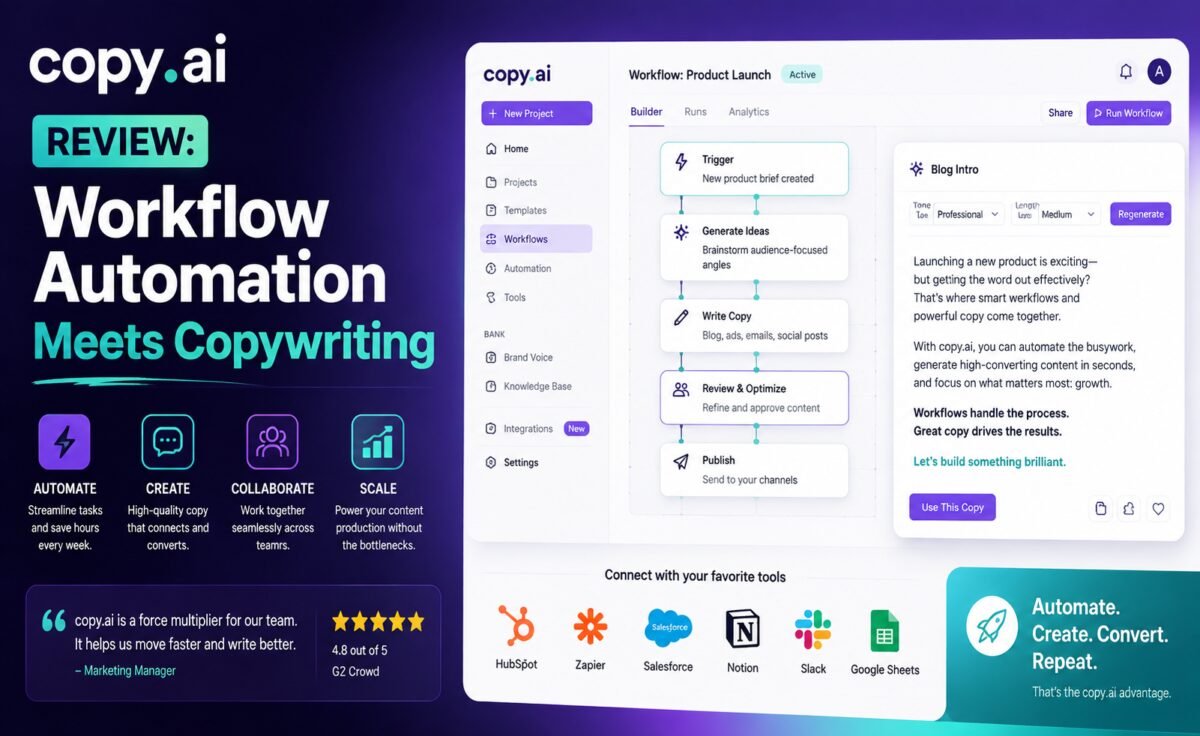
Quick take: Copy.ai started as a simple copywriting tool and has since repositioned itself around “workflows” — multi-step automations that chain AI writing together with data pulls and team processes. It’s a genuinely different pitch than most competitors, and it mostly delivers, with a few rough edges.
What Is Copy.ai?
Copy.ai is an AI writing platform that began as a straightforward marketing copy generator — similar in spirit to early Jasper — and has since evolved into a broader “workflow” platform. Instead of just generating a single piece of copy from a prompt, Copy.ai lets you build automated multi-step processes: pull data from a spreadsheet, generate personalized outreach messages for each row, and push the results somewhere else, all without manual copy-pasting.
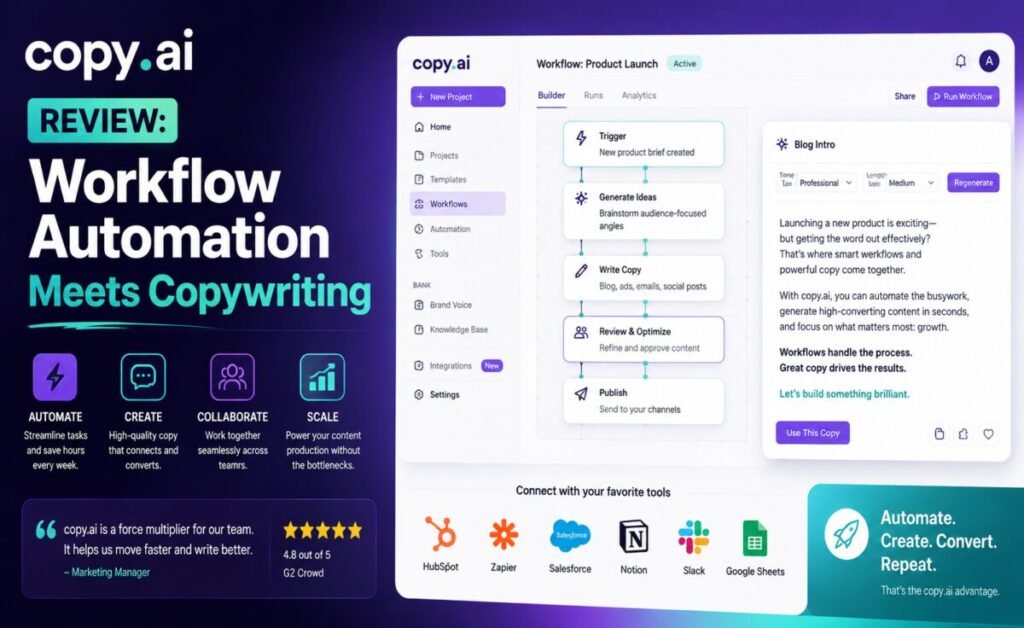
This positions Copy.ai less as a pure writing assistant and more as a lightweight automation tool with strong copywriting at its core — a distinct niche compared to general chatbots or brand-voice-focused platforms like Jasper.
Key Features
1. Workflows
The standout feature. You can chain together steps — summarize a document, extract key points, generate five headline variations, format for a specific channel — into a repeatable automation that runs with one click instead of a dozen separate prompts.
2. Chat Interface
Alongside workflows, Copy.ai includes a general chat mode for freeform writing requests, similar to ChatGPT or Claude, so you’re not locked into templates for every task.
3. Templates for Common Copy Tasks
A solid library of templates covers product descriptions, ad copy, email subject lines, and social captions — useful starting points, especially for smaller teams without a dedicated copywriter.
4. Infobase (Brand Knowledge)
Copy.ai lets you store brand facts, tone guidelines, and reference material in a persistent “Infobase” that workflows and chats can pull from, which helps keep generated content aligned with your actual brand and product details rather than generic filler.
5. Integrations
Copy.ai connects with common business tools — spreadsheets, CRMs, and automation platforms — which is what makes its workflow feature genuinely useful rather than just a gimmick; the AI writing plugs directly into processes teams already run.
Pricing
Copy.ai offers a free tier with limited monthly credits, then scales through paid plans priced per seat, generally positioned below Jasper but above a plain general-purpose chatbot subscription. The workflow automation features are typically gated to paid tiers, which makes sense given that’s the platform’s core differentiator.
Writing Quality
For straightforward marketing copy — headlines, product blurbs, ad variations — Copy.ai performs reliably well, and the Infobase feature genuinely helps keep output grounded in real brand details rather than generic-sounding filler. For longer, more nuanced writing, it’s noticeably less refined than Claude or even ChatGPT’s default output; Copy.ai is clearly optimized for short-to-medium marketing assets rather than long-form essays or literary prose, and pushing it toward long-form work can produce repetitive or shallow results.
Where it earns its keep isn’t a single output’s quality — it’s the time saved when a workflow that used to take fifteen manual prompts now runs as one click across a whole spreadsheet of leads or products.
Best Use Cases
- Sales and growth teams personalizing outreach at scale
- E-commerce generating product descriptions from spreadsheet data
- Small marketing teams automating repetitive copy tasks
- Agencies building reusable content workflows for multiple clients
Pros and Cons
| Pros | Cons |
|---|---|
| Workflow automation genuinely saves time on repetitive tasks | Long-form writing quality lags behind Claude and ChatGPT |
| Infobase keeps output grounded in real brand details | Learning curve for building effective workflows |
| Useful integrations with spreadsheets and CRMs | Free tier credits run out quickly with regular use |
| Solid template library for common copy tasks | Chat mode feels secondary to the workflow features |
| Reasonably priced relative to Jasper | Best value requires paid tier for automation features |
How It Compares
Compared to Jasper, Copy.ai is generally the more affordable option and leans harder into automation rather than brand-voice polish, while Jasper leans harder into enterprise-grade brand consistency and campaign planning. Compared to ChatGPT or Claude, Copy.ai is far more structured and workflow-oriented — great if repetitive, data-driven copy tasks are your bottleneck, less useful if you mainly need a flexible conversational writing partner.
A Week With Copy.ai: Real-World Notes
We tested Copy.ai on the exact kind of task it’s built for: personalizing outreach messages for a spreadsheet of 60 leads, then separately generating a batch of product descriptions for a small e-commerce catalog from a list of product names and specs.
Building the outreach workflow took some trial and error at first — connecting the spreadsheet, mapping which columns fed which parts of the prompt, and testing the output on a handful of rows before running it across the full list. Once configured, though, running it against all 60 leads took a couple of minutes and produced messages that referenced each lead’s actual company and role rather than generic filler, which is exactly the kind of task that would have been genuinely tedious to do manually one prompt at a time. A manual spot-check of about a dozen messages found the personalization accurate and the tone consistent, with only minor tweaks needed before sending.
The product description workflow was similarly efficient — uploading a spreadsheet of 40 products with basic specs and getting back a full set of on-brand short descriptions in one run, using the Infobase to keep brand terminology consistent across all of them. Quality was solid for this kind of short, structured copy. When we pushed the same setup toward a longer buying-guide-style article, though, the result was noticeably thinner than what Claude or ChatGPT produced from a similar prompt — serviceable structure, but light on the kind of nuanced detail and varied sentence rhythm that make long-form content genuinely engaging to read.
The chat mode, used for a few one-off requests during the week, felt functional but clearly secondary — useful in a pinch, but not something we’d choose over a dedicated chatbot for open-ended writing help.
Tips to Get Better Results
- Start small when building a workflow. Test on five to ten rows of data before running a workflow against a full spreadsheet, to catch formatting issues early.
- Fill out the Infobase properly before generating anything. The more specific, accurate brand and product detail it has to draw on, the less generic the output feels.
- Reserve workflows for repetitive, structured tasks. One-off, nuanced writing is usually better handled in chat mode or a different tool entirely.
- Always spot-check personalized output before sending. Automation saves time, but a quick manual review catches the occasional awkward or inaccurate personalization.
Who Should Skip This Tool
If your writing work is mostly long-form content — articles, essays, in-depth guides — rather than repetitive, data-driven copy, a general-purpose tool like Claude or ChatGPT will likely give you better prose with less editing. Copy.ai earns its keep specifically when the bottleneck is volume and repetition, not when it’s depth and nuance.
Our Rating
| Category | Score |
|---|---|
| Writing Quality | 3.8 / 5 |
| Features | 4.3 / 5 |
| Ease of Use | 3.9 / 5 |
| Value for Money | 4.0 / 5 |
| Overall | 4.0 / 5 |
Support and Getting Started
Copy.ai’s help center includes workflow-building tutorials and template walkthroughs, which are genuinely necessary given that the automation features have a real learning curve compared to typing a prompt into a chat box. Support is available through chat and email, with response times that have generally been reasonable for a mid-priced platform, though not as immediate as what enterprise-tier competitors offer.
New users are usually better served starting with the template library before attempting a custom workflow from scratch — it’s a gentler on-ramp to understanding how the pieces fit together, and most of the platform’s real value only becomes obvious once you’ve built and run at least one working automation yourself.
Frequently Asked Questions
Is Copy.ai good for blog writing?
It can produce blog drafts, but it’s not its strongest use case — writers focused primarily on long-form content will likely get better results from Claude or ChatGPT.
What makes Copy.ai different from Jasper?
The core differentiator is workflow automation — chaining multiple AI steps together and connecting them to other tools — rather than just generating individual pieces of copy.
Do I need technical skills to build a workflow?
No coding is required; workflows are built visually, though there is a learning curve to using the more advanced automation and integration features effectively. Most users find that starting from a pre-built template and modifying it is faster than building a workflow completely from scratch.
Final Verdict
Copy.ai is a smart choice for teams whose real bottleneck is repetitive, data-driven copywriting — personalized outreach, bulk product descriptions, multi-step content pipelines. It’s not the best pure writing tool on this list, but as an automation-first platform with genuinely useful copywriting built in, it fills a niche that general chatbots don’t cover well. Judge it less on how a single generated message reads and more on how many hours a well-built workflow saves across a full week of repetitive writing tasks — that’s where its actual value shows up.




Leave a Reply